














Step-by-Step Guide to Laser Cutting Acrylic Trophies

The first time I cut a custom acrylic trophy in my shop, I nearly threw the piece away. The settings were wrong — too fast, not enough power — and the edges looked melted rather than clean. I slowed the speed by 20%, bumped power up 10%, and ran the job again. The second piece had glass-smooth edges that caught the light beautifully. That 25-minute adjustment turned into a product line I still sell four years later.
Acrylic is one of the most rewarding materials to work with on a CO2 laser. It cuts cleanly, engraves with a frosted white finish that glows under light, and takes custom shapes without the hand-finishing that wood or slate requires. For small shops producing trophies, awards, signage, and decorative pieces, it's consistently one of the highest-margin materials in the shop.
This guide covers everything you need to produce high-quality laser engraved acrylic trophies from scratch — material choices, settings, the step-by-step cutting process, and how to build acrylic production into a profitable product line. OMTech's CO2 laser engraver machines are used in award shops, sign studios, and maker businesses across the US for exactly this type of work.
Why Acrylic Is the Default Material for Laser-Cut Trophies

According to laser cutting technology from Wikipedia, CO2 lasers cut acrylic by melting and vaporizing the material along the beam path. The result — when settings are correct — is flame-polished edges that need no additional finishing, which is exactly what makes acrylic so practical for high-volume trophy and award production.
Glass and crystal produce similar visual results but are significantly more fragile and expensive to source. Wood has warm aesthetic appeal but requires sanding and finishing. Acrylic sits in a productive middle ground: affordable per sheet, available in many colors and thicknesses, and producing professional results with minimal post-processing.
🏆 REAL SHOP EXAMPLEDana runs a home-based laser business in suburban Ohio producing acrylic awards and trophies for a local corporate client who runs quarterly employee recognition events. Her standard order is 15–25 engraved acrylic pieces per quarter. Material cost per piece is $3–6. She sells each for $45–65 depending on size and complexity. Her 60W CO2 laser completes each piece in 18–25 minutes. She built the account by cold-calling three local HR departments with samples she'd produced in an afternoon. |
Acrylic Types for Laser Engraving: What Actually Matters

Not all acrylic performs the same under a laser beam. OMTech's acrylic engraving materials collection includes options specifically suited to laser work, but here's the core distinction every shop operator needs to understand before ordering material:
|
TYPE |
CUTTING RESULT |
ENGRAVING RESULT |
BEST FOR |
|
Cast Acrylic |
Clean flame-polished edges |
Frosted white — high contrast |
Trophies, awards, display pieces |
|
Extruded Acrylic |
Good but less polished edge |
Clear/glassy — lower contrast |
Signs, functional parts, windows |
|
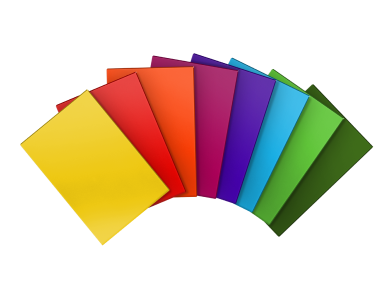
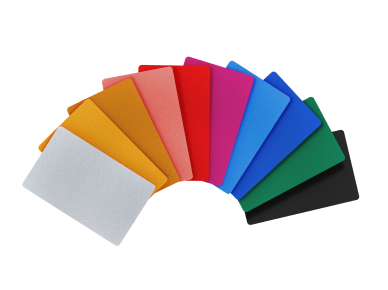
Colored Acrylic (cast) |
Clean edges, color preserved |
White frosted mark on color base |
Colored awards, layered designs |
|
Two-Color Acrylic |
Reveals contrasting layer below |
High contrast color removal |
Signs, nameplates, branded awards |
|
Mirrored Acrylic |
Clean edges, reflective finish |
Satin/cloudy mark on mirror |
Decorative trophies, display pieces |
⚠️ ALWAYS USE CAST ACRYLIC FOR TROPHIESFor award and trophy production, always order cast acrylic — not extruded. Cast acrylic produces flame-polished edges when cut, meaning the edge is transparent and glass-smooth directly off the laser with no secondary finishing. Extruded acrylic produces a frosted or milky edge that requires additional polishing if a clear edge finish is needed. The price difference between cast and extruded is small but the quality difference in finished awards is significant. |
Essential Settings for Laser Engraved Acrylic

Acrylic settings vary by machine wattage, tube type, and material thickness. These are starting points based on standard cast acrylic on a CO2 machine — always run test pieces on your specific machine before committing to a production run.
|
OPERATION |
THICKNESS |
POWER |
SPEED |
PASSES |
|
Cutting |
3mm cast |
70–80% |
15–20 mm/s |
1 pass |
|
Cutting |
5mm cast |
80–90% |
10–15 mm/s |
1–2 passes |
|
Cutting |
10mm cast |
90–100% |
6–10 mm/s |
2–3 passes |
|
Engraving (surface) |
Any |
20–40% |
300–500 mm/s |
1 pass |
|
Engraving (deep) |
Any |
50–70% |
200–350 mm/s |
2–3 passes |
|
Score / perforation |
Any |
15–25% |
400–600 mm/s |
1 pass |
💡 AIR ASSIST IS NOT OPTIONAL FOR ACRYLICAlways run air assist when cutting acrylic. Without air assist, smoke residue deposits on the cut edges and produces a yellowish stain that is very difficult to remove. A low-pressure air stream keeps the cut zone clear, produces cleaner edges, and significantly reduces the risk of acrylic igniting during a long cut. This is the single most common mistake new operators make when cutting thick acrylic for trophies. |
Step-by-Step: Cutting Acrylic Trophies on a CO2 Laser

This workflow assumes a cast acrylic sheet, a 60W–100W CO2 machine, and LightBurn software. The total production time for a standard single-piece award trophy is 25–45 minutes from design to finished piece.
|
Step 1 Prepare Your Design File Est. Time: 5–15 min Create your trophy outline and engraving layout in LightBurn, Inkscape, or Adobe Illustrator. For trophies, separate your design into two layers: a cut line (vector) and an engraving area (raster or vector fill). The cut line should be a single closed path at the outer edge of the trophy shape. The engraving layer holds your logo, text, and award details. |
|
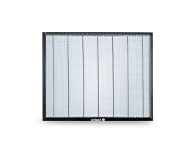
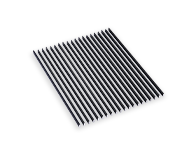
Step 2 Prepare Your Acrylic Sheet Est. Time: 5 min Keep the protective masking film on both sides of the acrylic during cutting. This prevents smoke staining on the surface and produces cleaner results. If your acrylic doesn't have masking film, apply transfer tape before running the job. Set the sheet flat on the honeycomb bed and use hold-down pins if the sheet is warped. |
|
Step 3 Focus and Air Assist Check Est. Time: 3 min Set focus to the top surface of the acrylic for engraving. For thick acrylic cutting (8mm+), some operators set focus to the mid-point of the material thickness to improve edge quality. Confirm air assist is running before starting the job — you should feel airflow at the nozzle. If using an autofocus machine, verify the sensor is reading correctly on the masking film surface. |
|
Step 4 Run Engraving Pass First Est. Time: 8–20 min Run the engraving pass before the cut pass. This keeps the acrylic held securely in position by the surrounding sheet material during the precision engraving phase. Engraving on an already-cut free-floating piece risks movement and misalignment. After engraving is complete, run the cut pass to release the finished piece from the sheet. |
|
Step 5 Remove and Inspect Est. Time: 3–5 min After cutting, allow 30–60 seconds before opening the lid to let residual smoke clear. Remove the piece and peel the masking film while it is still slightly warm — it releases more cleanly than when fully cooled. Inspect the edges: cast acrylic cut at the right settings should be flame-polished and transparent. If edges are frosted or rough, reduce speed by 10–15% on the next run. |
|
Step 6 Clean and Finish Est. Time: 3–5 min Wipe surfaces with a soft microfibre cloth and acrylic-safe cleaner. Do not use paper towels or abrasive cloths on acrylic — they scratch the surface. If the piece requires a stand or base, mount it while the acrylic is at room temperature. For display-ready trophies, a felt or foam base pad applied to the bottom adds a professional finish that customers notice. |
Profitable Acrylic Trophy and Award Products for Small Shops

Here are the acrylic-based award products that consistently generate repeat business for small laser shops. Each has different margin profiles, order frequency, and customer types.
|
PRODUCT |
MATERIAL |
SELL PRICE |
MATERIAL COST |
BEST CUSTOMER |
|
Custom-cut acrylic award |
Clear cast 8–10mm |
$55–$85 |
$5–$10 |
Corporate HR |
|
Engraved colored acrylic plaque |
Colored cast 5mm |
$40–$65 |
$4–$8 |
Schools, nonprofits |
|
Two-color nameplate / sign |
Two-color acrylic |
$35–$60 |
$3–$7 |
Offices, realtors |
|
Layered acrylic logo award |
Mixed colors 3–5mm |
$75–$120 |
$10–$18 |
Corporate events |
|
Acrylic LED lamp base award |
Clear cast 5mm |
$55–$90 |
$8–$14 |
Tech companies, schools |
|
Batch recognition plaques (20+) |
Clear / colored 5mm |
$35–$50 each |
$3–$6 each |
Sports leagues, HR |
🏆 REAL BUSINESS EXAMPLE — BUILDING AN ACRYLIC AWARD NICHETom, who runs a small sign and award shop in Charlotte, NC, landed his first recurring acrylic award contract by offering a school district a free sample run of 10 graduation award pieces. The district ordered 140 pieces the following quarter. Tom's standard acrylic corporate award takes 22 minutes on his 80W CO2 machine at a material cost of $7. He sells each at $58. That first school contract generates over $8,000 per year in recurring revenue from a single client relationship that started with a $70 sample investment. |
OMTech Machines for Acrylic Trophy Production

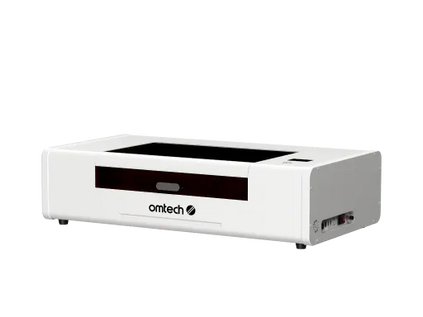
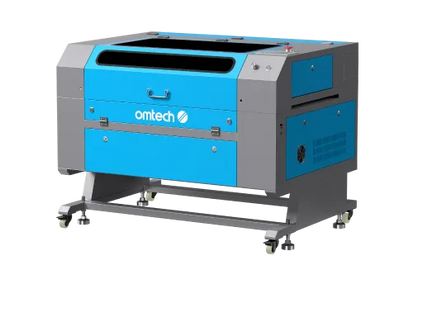
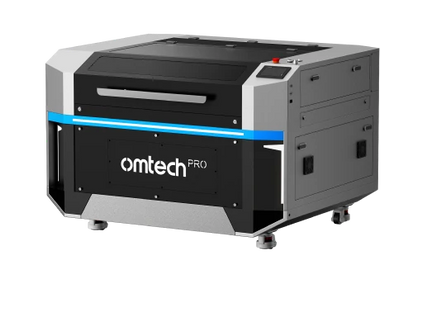
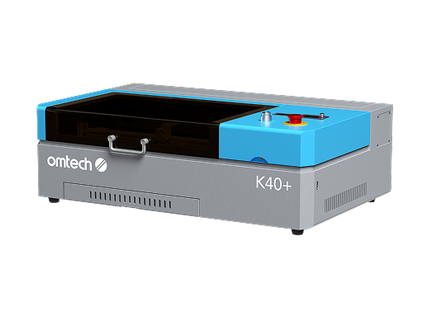
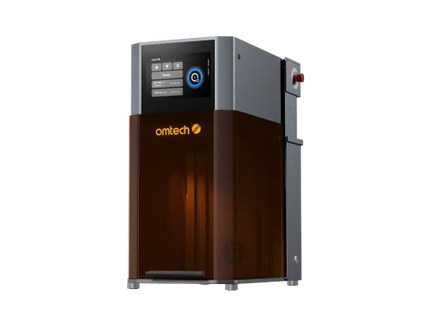
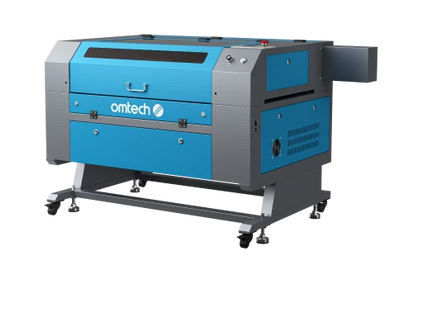
Here are two OMTech CO2 machines well-suited for small shop acrylic award production, matched to different volume levels and budgets:
|
AF2028-60 60W CO2 — Standard Shop Production • 3mm–8mm Acrylic The 20" × 28" working area handles full A2-size acrylic sheets without repositioning. At 60W, it cuts 3mm cast acrylic in a single pass at clean flame-polished edges and processes 5mm–6mm acrylic in 1–2 passes. The camera preview and autofocus make it easy to align engraving precisely on pre-cut acrylic blanks. For award shops producing 10–50 pieces per week, this is the machine the math works on — bed size, wattage, and price all line up for consistent acrylic award production. |
|
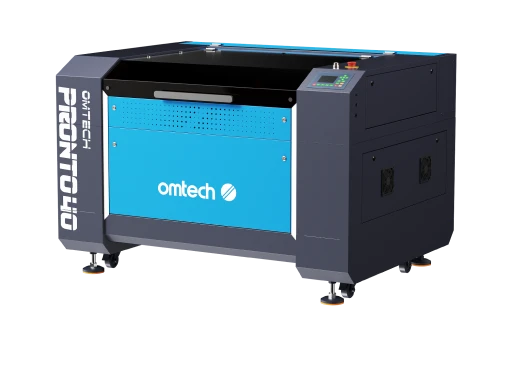
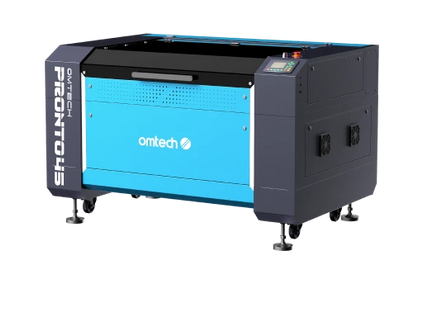
Pronto 45 100W CO2 — High-Volume Production • Thick Acrylic • Fast Turnaround At 100W and 1,000 mm/s engraving speed, the Pronto 45 handles thick acrylic (8mm–12mm) that lower-wattage machines cut slowly or in too many passes. For shops producing batch orders of 50+ award pieces per cycle, the throughput difference is significant. The dual 18" × 24" workbed configuration handles both full sheets for cutting and individual engraving jobs without reconfiguration. Air assist is built-in and essential for clean acrylic edges at this power level. |
Building Acrylic Trophy Production Into a Profitable Business
The business model works because repeat orders are built into the product type. Sports leagues award trophies every season. Companies run quarterly recognition programs. Schools give graduation awards every year. Once you establish one recurring account, the revenue is predictable.
-
Start with samples — Produce 3–5 finished pieces at your own cost and bring them to potential clients in person. Acrylic awards photograph well, but nothing closes a corporate client like holding a finished piece.
-
Identify recurring buyers — Focus on corporate HR departments, sports leagues, school districts, and nonprofit organizations. These buyers need awards multiple times per year on a predictable schedule.
-
Build a standard catalog — Create 4–6 standard award sizes and shapes you can reproduce consistently. Custom one-offs are profitable but standard catalog items scale much better.
-
Stock core materials — Keep clear cast 5mm and 8mm acrylic in stock at all times. OMTech's laser engraving materials collection includes acrylic sheets sized for laser production.
-
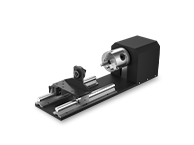
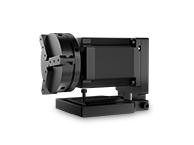
Add accessories for production efficiency — A rotary attachment handles cylindrical acrylic pieces. A camera module speeds up batch alignment. OMTech's CO2 laser accessories expand what your machine can produce without replacing the machine itself.
-
Get installation and training right from the start — OMTech's professional laser setup support includes on-site setup. A properly configured machine produces consistently good acrylic results from the first day.
Ready to start your acrylic award production business? |
Frequently Asked Questions
What is laser engraved acrylic?
Laser engraved acrylic is acrylic sheet material that has been processed by a CO2 laser to either cut a shape or engrave a design into its surface. When engraved, the laser vaporizes the top surface layer, producing a frosted white mark with high contrast against clear or colored acrylic. When cut, the laser melts the material along a path, producing flame-polished edges that are transparent and smooth directly from the machine.
What type of laser cuts and engraves acrylic?
CO2 lasers are the standard for acrylic cutting and engraving. Acrylic absorbs CO2 laser light (10,600nm wavelength) efficiently, which is why it cuts so cleanly with this laser type. Fiber lasers do not cut or engrave standard acrylic — their 1,064nm wavelength passes through most clear plastics without being absorbed. For acrylic work, a CO2 machine is required.
What wattage CO2 laser do I need for acrylic trophies?
A 40W–60W CO2 laser handles 3mm–6mm acrylic comfortably in 1–2 passes. For 8mm–12mm acrylic used in thicker trophy and award pieces, a 60W–100W machine produces cleaner results with fewer passes and better edge quality. Higher wattage also allows faster speeds, which matters when producing batch orders of 20+ pieces.
What is the difference between cast and extruded acrylic for laser work?
Cast acrylic produces flame-polished, transparent edges when cut by a CO2 laser — no secondary finishing needed. Extruded acrylic cuts with a frosted or milky edge that requires additional polishing if a clear edge is needed. For trophy and award production, always use cast acrylic. It costs slightly more but produces results that justify premium pricing.
Do lasers use air assist when cutting acrylic?
Yes, air assist is essential for cutting acrylic. A focused air stream at the cut zone removes smoke and vaporized material, prevents smoke staining on the cut edges, and significantly reduces the risk of acrylic igniting during long cuts. Running without air assist on acrylic produces brown-stained edges and a much higher risk of fire, especially in thick material.
What are good engraving ideas for acrylic?
Custom trophies and awards, corporate nameplates, architectural signage, LED lamp bases (the engraved design glows when backlit), layered wall art, personalized keychains and tags, acrylic coasters, custom awards for sports leagues, and decorative panels for interior design. Clear acrylic engraving under edge lighting is particularly dramatic — the frosted mark glows brightly while the rest remains transparent.
How do you clean laser engraved acrylic?
Use a soft microfibre cloth with an acrylic-safe cleaner (isopropyl alcohol diluted 50/50 with water works well). Never use paper towels — they scratch acrylic surfaces. Avoid window cleaners containing ammonia, which can cause acrylic to cloud or crack over time. Peel masking film while the piece is still slightly warm for the cleanest release.
Is laser engraving a profitable business with acrylic products?
Yes. Acrylic is one of the highest-margin materials in laser production because material costs are low (typically $3–12 per piece depending on size) while finished award pieces sell for $40–$120+. Corporate clients with recurring quarterly recognition programs provide steady, predictable revenue. A single corporate account ordering 20–30 pieces four times per year can generate $3,000–$7,000 annually from one relationship.
What software works best for laser engraved acrylic designs?
LightBurn is the industry standard for CO2 laser control and is compatible with all OMTech machines. It handles both vector cutting paths and raster engraving, supports SVG, DXF, AI, and PNG file formats, and allows precise power, speed, and layer control for different operations in the same job. Inkscape and Adobe Illustrator are the most common design tools for creating trophy artwork before importing into LightBurn.





