







How to Calculate Fiber Laser Cutting Cost
The approach I've found works best for calculating the cost of fiber laser cutting projects (and one that many shop owners in this industry use) is cost-plus pricing, a simple method where you add up material, machine run time, labor, and setup, then apply a markup.
This method works because, when you price fiber laser cutting, the goal is a quote that is competitive but still covers material, labor, machine operating costs, and overhead, with a healthy margin left over.
As a beginner, one mistake I kept making was to calculate job time strictly by looking at the line length of the CAD vectors. It took me some time to understand that you have to account for piercing time on thicker plates or intricate parts with dozens of small internal holes. Remember, each pierce adds delay and wears down consumables.
Also, it is much better to build your own formula in an Excel sheet rather than relying on a generic calculator. One other thing: fiber lasers need more specific calculations than CO2 or diode lasers because of the cost of assist gases (nitrogen or oxygen) and their high power draw.

A Breakdown of The Standard Cost-Plus Method For Calculating Fiber Laser Cutting Projects
Here is the general formula for the cost-plus method:
1. How to Determine Material Cost
Start with the raw sheet you actually used. If you nest parts, charge for the scrap the layout generates, not just the square area of the finished parts. The skeleton left over after cutting is still a cost you've paid for.
This is something I learned from working on pipe flanges or large gaskets. If they are made out of expensive specialty alloys like 316 stainless steel, copper, or titanium. You have to buy the entire square or rectangular footprint of the outer circle, even though the center hole and the four outer corners will become unusable scrap.
2. Establishing Machine run time and your shop rate
The shop rate is what you charge per hour of machine time. The main drivers are the laser's power and the thickness of the material. I agree with this opinion from users in the laser cutting community that a common benchmark for a low-to-mid-power fiber laser is around $60 an hour (about $1 a minute).
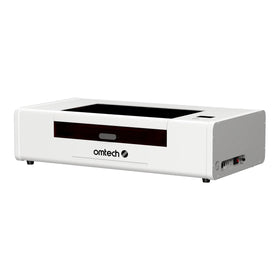
For higher-kilowatt machines cutting thick plate steel, it can reach $200 an hour or more. Here is a summary of what the prices for laser cutting projects may look like if you are working with a 1.5 kW fiber laser cutter like the OMTech FC-22 1500W, or any variant from the OMTech FC-105T Fiber Laser Cutting Machines.
Proposed Machine Run Time and Shop Rates For a 1kW-4kW Fiber Laser Cutting Machine
|
Laser power |
Application |
Hourly rate |
|
1 kW |
Thin steel sheets, brackets, signage, small metal components |
50–70 |
|
1.5 kW |
Sheet metal fabrication, electrical enclosures, decorative panels |
60–80 |
|
2 kW |
General metal fabrication, stainless steel parts, automotive components |
60–90 |
|
3 kW |
Medium-thickness steel, commercial fabrication, production parts |
80–120 |
|
4 kW |
Thicker sheet metal, industrial components, higher-volume production |
90–140 |
3. Cost of Operating Consumables
The next factor is the cost of expendables when setting your per-minute rate. These are variable costs, meaning they rise and fall directly with how much you produce. To get a usable figure, divide your total expendable spend by the machine hours it covered. This will give you an hourly expendable cost, which you then build into your shop rate. Here are the main items to cover:
-
Assist gas: Nitrogen is expensive and is typically used for stainless steel and aluminium. Oxygen is cheaper but slower for carbon steel.
-
Electricity: High-kilowatt fiber lasers draw a lot of power, so this is worth tracking, not guessing.
-
Maintenance: Nozzles, protective windows, and lenses all wear out and need replacing.
A Note on The Cost of Replacing Nozzles
In general, you have to replace the nozzles every 1–4 weeks. But many of the OMTech clients who work in manufacturing and automobile parts say they change nozzles pretty much every week or two. So, it all depends on the size of your applications.
4. Cost of Labor and Handling
Cutting time is only part of the work. Someone has to load the sheet, run the program, and unload the parts. Many shop owners add a 30% multiplier to raw cutting time to cover this. It accounts for the operator's expertise, time, and effort.
When you do this in practice, you find that how much you charge for labor costs comes down indirectly to how demanding or complicated the project is.
-
For a relatively easy cutting job, you can hand it to pretty much any employee. So, you can then lower the labor multiplier to about 20%.
-
For more complicated projects where you need to make use of your company’s expertise, the multiplier goes up, sometimes up to 50%
5. Setting the Setup Fee
Many shops charge a flat setup fee, typically $20 to $50 per job, to cover file preparation, nesting, and machine calibration. I personally agree with this approach because it protects your margin on low-volume orders, where setup time can cost more than the cutting itself.
A quick example Of How to Calculate Fiber Laser Cutting Prices
Let's say the job needs 10 minutes of cutting, $25 of material, and a $30 setup fee, at $1 a minute with a 1.3 markup.
|
Step |
Working |
Amount |
|
Cutting time with handling |
10 min × 1.3 = 13 min × $1 |
$13.00 |
|
Machine portion |
($13 + $30) × 1.3 |
$55.90 |
|
Material |
Sheet used, including scrap |
$25.00 |
|
Total price |
$25 + $55.90 |
$80.90 |
The multiplier shortcut
For small custom shops or batch jobs where tracking every second isn't practical, you can use a flat multiplier on material cost:
|
Material type |
Cost per sq in |
Charge |
|
Cheap |
Under $1 |
8× material cost |
|
Mid-range |
$1 to $5 |
5× material cost |
|
Expensive |
Over $5 |
3× material cost |
It's quick and works well for repeat work, but I'd check it against the full formula now and then.
Automating your quotes
The laser cutting community generally agrees that measuring every line segment by hand with AutoCAD perimeter tools is exhausting. For a professional operation, specialized quoting software is the better choice.
Tools like Tempus Tools and Smart Cut Quote read DXF/DWG vector files, calculate total cutting length (pierces and contours), and apply your own machine and gas rates instantly.
Final thoughts
There's no single correct price for a fiber laser cutting job. What works is a method you can explain, check, and adjust. Start with the cost-plus formula, because it shows you where your money goes: material, machine time, consumables, handling and setup. Keep the multiplier shortcut for batch work, where tracking every minute isn't worth the effort, and sense-check it against the full formula every so often.
Build the formula in your own spreadsheet, plug in your real costs, and test it on a few past jobs. If it lands close to what you actually charged and earned, you can trust it for the next quote.