






How to Choose Your First Fiber Laser Engraver for Metal
If fiber laser engraving is on your shortlist but terms like pulse width, frequency, and galvo lenses still feel like a foreign language, you are in the right place. This practical guide explains how a fiber laser engraver marks bare metal and hard plastics, compares fiber vs. CO2 lasers, breaks down Q-switched vs. MOPA sources, and gives you a clear decision framework to choose your first machine without overspending.
Whether you plan to personalize stainless steel tumblers for a side business, engrave fine gold and silver jewelry, or etch permanent serial numbers onto industrial tools, fiber laser engraving delivers unmatched speed and contrast on metal. Use the summary and comparison tables below to match the right laser technology to your workshop goals.

Key Takeaways
- ✓ Best Materials: Fiber lasers excel on bare metals (stainless steel, aluminum, brass, gold, silver, titanium), hard plastics, and stone—but cannot engrave wood or clear glass.
- ✓ Fiber vs. CO2: A fiber laser's shorter wavelength (800–2,200 nm) absorbs directly into reflective metals safely, whereas a CO2 laser (9,000–11,000 nm) is built for wood, acrylic, and leather.
- ✓ Q-Switched vs. MOPA: Standard Q-switched fiber markers handle crisp black/white metal marking and deep engraving; MOPA fiber lasers add adjustable pulse width for color marking on stainless steel and smooth dark marks on anodized aluminum.
- ✓ Marking vs. Cutting: Standard 20W–100W galvo fiber markers are built for surface marking and shallow engraving, not cutting sheet metal.
- ✓ Choosing Your First Machine: Match your wattage and lens size to your primary products—30W–50W Q-switched for everyday jewelry and tumblers, or MOPA for color metal work and sensitive plastics.
Section 01
What Is a Fiber Laser Engraver?
A fiber laser engraver directs a tightly focused beam of light through a fiber-optic cable and high-speed galvanometer (galvo) mirrors to create a permanent mark on a material's surface. Instead of slicing all the way through thick stock, the surface absorbs the concentrated energy, heats rapidly, and oxidizes or anneals to produce high-contrast detail—which is why these systems are also called fiber laser marking machines.
As explained in OMTech's technical breakdown of how fiber laser engravers work, laser diodes generate the initial light energy and pump it through an optical fiber doped with rare-earth elements such as ytterbium. This produces a beam with a wavelength typically between 800 and 2,200 nm—roughly ten times shorter than a CO2 laser's beam—allowing bare metals to absorb the energy cleanly.
In daily production, fiber laser engraving serves two core markets:
- ▸ Manufacturers and machine shops: Etching permanent barcodes, QR codes, part numbers, and compliance marks onto automotive components, surgical instruments, and hardware tools.
- ▸ Makers and custom gift businesses: Personalizing wedding rings, insulated drinkware, metal business cards, pet tags, and branded promotional gear.
Section 02
Fiber Laser vs. CO2 Laser on Metal — Why Wavelength Matters
The first question almost every beginner asks is why a CO2 machine struggles on bare metal while a fiber laser marks it effortlessly. The answer comes down to wavelength absorption.
A CO2 laser emits a long infrared wavelength (9,000–11,000 nm) that reflects off bare metals—risking beam reflection back into the laser tube unless you coat the surface with a chemical marking spray first. A fiber laser's shorter wavelength absorbs directly into metal surfaces, producing crisp, permanent marks with minimal heat spread into surrounding areas.
Important Distinction Before You Buy
A desktop or split galvo fiber marker is not a sheet-metal cutting machine. Slicing through thick steel or aluminum plates requires a high-power industrial fiber laser cutting machine (typically 1,500W to 3,000W+ with assist gas). Standard 20W to 100W galvo markers are engineered for high-speed surface marking, annealing, and shallow relief engraving. If you sell custom metal shapes, source pre-cut blanks and use your fiber marker to personalize them.

Fiber Laser vs. CO2 Laser at a Glance
| Feature | Fiber Laser Engraver | CO2 Laser Engraver |
|---|---|---|
| Best Materials | Metals, hard plastics, stone, slate | Wood, acrylic, leather, glass, fabric |
| Wavelength | 800 – 2,200 nm | 9,000 – 11,000 nm |
| Primary Function | High-speed surface marking & deep metal engraving | Cutting & engraving organic/non-metal sheets |
| Marking Speed | Ultra-fast (galvo mirror scanning) | Moderate (gantry-driven laser head) |
| Bare Reflective Metal | Marks directly and safely | Reflects beam (requires marking spray) |
The practical rule: If your catalog centers on wooden signs and cast acrylic ornaments, choose a CO2 system. If your core products are stainless steel tumblers, anodized aluminum tags, or sterling silver rings, you need a fiber laser.
Section 03
What You Can Actually Make With a Fiber Laser
While a fiber laser covers fewer organic materials than a CO2 machine, it dominates high-margin metal and hard-surface customization. Fiber lasers mark aluminum, gold, silver, stainless steel, brass, titanium, tungsten, engineering plastics, granite, marble, and ceramic tile.
Popular beginner-friendly product categories include:
- ▸ Custom jewelry: Engraved pendants, signet rings, bracelets, and cufflinks in sterling silver, gold, and stainless steel.
- ▸ Insulated drinkware: Powder-coated stainless steel tumblers stripped cleanly down to bright bare steel using a rotary attachment.
- ▸ Nameplates and tags: Engraved pet ID tags, anodized metal business cards, desk nameplates, and equipment rating plates.
- ▸ Everyday carry (EDC) and tools: Personalized pocket knives, flashlight bodies, socket sets, and machined aluminum gear.
- ▸ Industrial traceability: High-contrast serial numbers, lot codes, and scannable QR codes on manufactured parts.
Two Material Limits to Keep in Mind
Fiber lasers cannot engrave wood (the shorter wavelength penetrates wood fibers and chars unpredictably) and cannot mark clear glass directly (the beam passes right through without absorption). For wood and clear glass, use a CO2 laser.

Section 04
Q-Switched vs. MOPA — The One Hardware Choice That Matters Most
Once you commit to a fiber laser, your most important decision is choosing between a standard Q-switched source and a MOPA (Master Oscillator Power Amplifier) source. Both mark metal permanently, but they control heat input and pulse duration differently:
- ▸ Standard Q-switched fiber laser: Uses fixed pulse durations ideal for crisp black annealing on stainless steel, bright white marks on anodized aluminum, and deep metal engraving at a lower entry price.
- ▸ MOPA fiber laser: Lets you independently adjust both pulse frequency and pulse width. That precision control unlocks vibrant color marking on stainless steel and titanium, smooth dark-black marks on anodized aluminum without micro-cracking, and cleaner, melt-free results on sensitive plastics.
For example, the OMTech MOPA 100W Fiber Laser Marker pairs a JPT MOPA source with 100W output, an adjustable frequency range of 1 to 4,000 kHz, pulse widths from 2 to 500 ns, marking speeds up to 10,000 mm/s, and a source rated for over 100,000 hours of mean time to failure. Adjusting frequency and pulse width together is what shifts a mark on stainless steel from dark black to vivid blue, gold, or crimson.
Which should you choose? If full-color metal work or delicate plastic marking is central to your brand, choose MOPA. If you mainly want high-contrast black/white marks and deep engraving on jewelry, tumblers, or tools, a Q-switched model delivers professional results for less upfront investment.
Section 05
Software and Workshop Setup — 4 Habits From the Support Bench
Most OMTech fiber markers ship ready to run EZCad2 out of the box and also support LightBurn (Galvo license) for makers who prefer LightBurn's modern vector interface. The standard workflow is straightforward: import vector artwork (.ai, .dxf, .svg, or .plt), assign speed, power, and frequency settings, align the design using the built-in red-dot framing preview, and run the mark.
In our technical support sessions with new operators, four workshop habits prevent the vast majority of ruined blanks and wasted troubleshooting time:
1
Lock in your exact focal height.
Galvo field lenses have a very shallow depth of focus compared to long-focus CO2 lenses. Shifting workpiece height by even a millimeter or two drops energy density sharply—turning a rich black stainless steel mark into a faint gray scratch. Always use your dual red-dot focus pointer or a physical spacer gauge whenever you switch between flat cards and thicker items.
2
Run a parameter grid on scrap first.
Metal alloys and powder coatings vary by supplier. Before engraving customer inventory, run a 2D test matrix (varying speed on one axis and power/frequency on the other) on a sacrificial blank or the back of a test tag to isolate the exact sweet spot.
3
Keep workpieces completely flat.
Thin aluminum business cards or brass tags can warp slightly from heat during dense hatching passes. Use magnetic hold-downs or a slotted positioning jig so the entire marking field stays within the focal plane.
4
Match your F-theta lens to your part size.
A smaller lens (such as 110 × 110 mm) concentrates laser energy into a tighter spot for ultra-fine jewelry text and deep relief engraving, while a larger lens (200 × 200 mm or 300 × 300 mm) covers larger jigs and batch runs.

Section 06
Choosing Your First Fiber Laser Machine — A Quick Decision Framework
Instead of simply buying the highest wattage, match the laser source and working field to the products you plan to sell most often:
| Your Primary Shop Goal | Recommended Laser Source | Suggested OMTech Setup |
|---|---|---|
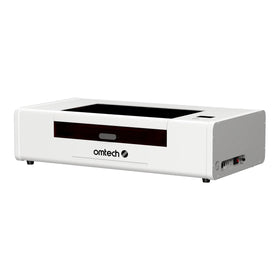
| Everyday metal marking, pet tags, tools & deep engraving on a budget | Q-Switched Fiber (30W–50W) | OMTech G3 Q-Switched Fiber Laser Engraver (150 × 150 mm field; 3-in-1 desktop, split, or handheld design) |
| High-volume tumblers, jewelry batches & larger workpieces | Q-Switched Split Galvo (50W) | Split Galvo 50W Fiber Laser with a larger marking field (e.g., 200 × 200 mm / 7.9 × 7.9 in.) and rotary compatibility |
| Color marking on steel/titanium, dark anodized aluminum & fast deep relief | MOPA Fiber (30W–100W) | OMTech MOPA Fiber Laser Marker Collection (compare 30W, 60W, and 100W models) |
Because promotional bundles and seasonal discounts update regularly, check each product page for current pricing before ordering. If you want to see how your own metal blanks mark before committing, you can schedule a live test session through the OMTech Demo Room Program.
Section 07
Frequently Asked Questions
Can a fiber laser engrave wood?
No. A fiber laser's 800–2,200 nm wavelength penetrates wood fibers rather than cleanly vaporizing the surface, causing scorching and fire hazards. Use a CO2 laser for wood projects.
What wattage fiber laser do I need for tumblers and jewelry?
A 30W to 50W fiber laser is the sweet spot for most small businesses making powder-coated tumblers and custom jewelry. A 30W unit cleanly strips tumbler coatings and marks fine jewelry detail, while upgrading to 50W cuts engraving cycle times on deeper metal relief work.
How much does a beginner fiber laser cost?
Entry-level desktop and split Q-switched fiber markers are significantly more affordable than industrial metal-cutting systems, while higher-wattage MOPA units sit at a higher price tier due to their adjustable pulse-width electronics. Browse the OMTech Fiber Laser Engraver Collection to compare current model pricing and financing options.
Do I need a MOPA fiber laser, or is a standard Q-switched fiber laser enough?
A standard Q-switched fiber laser is plenty if you want crisp black marks, white anodized engraving, and deep relief work. Upgrade to MOPA if you want color marking on stainless steel or titanium, ultra-clean black marks on anodized aluminum, or minimal melting on sensitive plastics.
How long does a fiber laser source last?
Quality fiber sources—such as the JPT MOPA sources used in OMTech markers—are rated for a mean time to failure exceeding 100,000 hours, providing years of maintenance-free operation with no consumable glass laser tubes to replace.

Section 08
Start With the Right Fiber Laser Engraving Setup
Fiber laser engraving rewards beginners who match the right wavelength, source type, and lens field to their target materials rather than chasing wattage alone. If your product line revolves around metals, hard plastics, or stone, a fiber laser engraver will dramatically outperform a CO2 machine in marking speed, contrast, and zero-consumable reliability.
Ready to take the next step? Compare specifications across the OMTech Fiber Laser Engraver Collection and OMTech MOPA Fiber Laser Markers, or book an OMTech Demo Room session to test your own metal blanks before placing an order.