







25+ Ways to Use a Laser Cutter in School Clubs and Extracurricular Activities
The traditional ways schools use laser cutting machines include classroom instruction, makerspace prototyping, and producing campus signage or event materials. However, there are many other ways to use a school laser cutter in extracurricular activities, from STEM clubs and theater productions to entrepreneurship projects and student-led businesses.
Laser cutters allow students to turn digital designs into physical products while developing practical skills in engineering, creativity, problem-solving, and teamwork. Whether students are building a robot, designing custom jewelry, making stage props, or producing merchandise for a school fundraiser, the machine can support a wide range of activities.
If you currently operate a laser cutter at your school, or are considering introducing one, here are more than 15 ways to put it to work across different clubs and extracurricular programs.

STEM, Robotics, and Maker Club Ideas
Laser cutters are particularly useful for STEM and maker clubs because they can turn 2D digital designs into precise physical components. Students can design, cut, assemble, and test their ideas while developing practical skills in engineering, mathematics, and problem-solving. Here are some projects worth considering:
1. Robotics and RC Teams
Students can use a laser cutter to prototype custom chassis plates, mounting brackets, sensor holders, and other components for Arduino, Raspberry Pi, and competition robots. They can also cut lightweight acrylic or plywood parts for remote-controlled vehicles. This makes it easier to test different designs, identify problems, and improve a build before moving on to more advanced manufacturing methods.
2. Pinewood Derby and Gravity Racers
Pinewood Derby and gravity racer projects give students a practical introduction to design and engineering. Students can create digital designs, cut wooden car components, and assemble their vehicles before testing them on a ramp or track. They can experiment with different shapes, dimensions, and weight distributions to understand how design choices affect performance.
3. Structural and Physics Challenges
Students can explore engineering principles by designing and assembling small bridges, arches, aqueducts, and other structures from laser-cut materials. For example, a club could organize a bridge-building challenge in which teams compete to create a structure that supports the greatest weight using a limited amount of material. Laser-cut components can also help students build demonstrations involving gears, gyroscopes, and other mechanical principles.
4. Math, Tessellation, and Mechanical Design
Laser cutting can make abstract mathematical concepts easier to understand. Students can design interlocking geometric puzzles, tessellations, and working wooden gears using digital design software and online generators. They can then test how different dimensions, ratios, and tolerances affect the way the components fit and move together.

Projects for Arts and Design Clubs
A school laser cutter gives art and design students more ways to turn digital artwork into physical creations. From decorative wall pieces to wearable accessories, students can experiment with different materials, patterns, and finishes.
5. Multi-Layered Wall Art
Students can create layered mandalas, topographic maps, and decorative patterns from thin birch plywood or colored acrylic. By stacking different layers, they can produce artwork with depth and shadow effects. Another collaborative idea is to have each student design and decorate an individual wooden square that connects with the others to form a larger group artwork.
6. Custom Printmaking Stamps
Students can engrave original illustrations and patterns onto laser-safe rubber sheets to create reusable stamps. These stamps can be used for fabric printing, paper crafts, and other art projects. Students can experiment with different designs and learn how the depth and spacing of engraved details affect the final print.
7. Stencils for Mixed-Media Art
Laser cutters can produce durable, accurately shaped stencils from suitable materials such as Mylar and cardstock. Art clubs can use these stencils for spray painting, screen printing, mural projects, and mixed-media artwork. Students can create their own patterns or reuse a design across multiple pieces.
8. Jewelry and Wearable Accessories
Students can design and cut earrings, pendants, masks, and other accessories from laser-compatible materials such as acrylic, wood, and leather. They can also experiment with engraving names, patterns, and illustrations onto their designs. These projects are particularly interesting for students who want to explore product design, fashion, and creative entrepreneurship.
Projects for Theatre and Stage Crafts
Theater clubs can use laser cutters to create miniature stage models, detailed props, costume accessories, and decorative elements. These projects give students practical experience in scenic design, fabrication, and production planning.
9. Scale Set Models
Students can cut miniature architectural walls, furniture, and stage layouts from materials such as chipboard and basswood. These scale models allow directors, designers, and crew members to plan stage layouts, blocking, and lighting before constructing full-size scenery.
10. Intricate Hand Props
Students can fabricate lightweight, detailed props such as decorative crowns, badges, Victorian-style frames, and period signage from suitable materials. These items can be customized for different productions, giving students more control over the appearance and details of their stage props.
11. Custom Lighting Gobos
Students can create patterns from suitable heat-resistant materials to project shadows onto a stage. Examples include windowpanes, tree branches, and cityscape patterns that help create different theatrical environments. These lighting effects can add visual detail to a production without requiring complicated scenery.
12. Costume Armor and Accessories
Laser cutters can help students create costume patterns, masks, belts, and decorative armor details from suitable materials. They can also produce textile tools such as weaving shuttles, frame looms, and perforated wooden templates for cross-stitching. These projects give students opportunities to explore both costume design and traditional textile crafts.
13. Entrepreneurship and School Spirit Projects
A laser cutter can turn entrepreneurship and school spirit clubs into small production teams. Students can design, manufacture, price, and market customized products while raising money for their clubs or other school programs. Consider the following projects:
14. Student-Run Merchandise Stores
Business and DECA clubs can design and sell school-branded merchandise such as acrylic keychains, wooden bookmarks, custom coasters, and engraved accessories. Students can organize production in batches, calculate material costs, set prices, and promote their products at school events. This provides a practical introduction to product development and small-business operations.
15. Athletics, Awards, and Recognition
Student councils, athletics departments, and booster clubs can produce custom trophies, plaques, medals, spirit badges, and recognition awards for school sports and academic competitions. They can also create homecoming decorations, team signs, and other event materials. Producing these items in-house allows students to participate in the design process while helping schools create customized materials for different occasions.
16. Student-Run Mini-Businesses
Schools can organize holiday markets where students design, manufacture, and sell custom keychains, ornaments, bookmarks, and other personalized products. Students can divide responsibilities across design, production, pricing, and marketing. It is a practical way to teach entrepreneurship while helping clubs raise money for supplies and future activities.

Low-Budget and Beginner Laser Cut Projects
Not every laser cutting project requires expensive materials or advanced design skills. Schools can introduce students to the technology using affordable materials such as suitable cardboard, paper, and thin plywood. These projects are particularly useful for beginners who want to learn basic design and assembly techniques before moving on to more complicated builds.
17. Cardboard Engineering and Architecture
Students can use recycled corrugated cardboard to create press-fit desk organizers, interlocking phone stands, storage boxes, and architectural scale models. Free design tools and templates such as Boxes.py can help students get started. These projects also allow them to experiment with measurements, joints, and assembly without wasting expensive materials.
18. Paper Crafts and Pop-Up Cards
Students can create intricate paper-cut artwork, layered shadow boxes, and custom pop-up greeting cards. These projects are suitable for art clubs and provide an accessible way to explore digital design and laser cutting. They can also be used to produce personalized cards for school events and fundraising activities.
19. Beginner Desk Accessories and Organizers
Students can start with simple projects such as bookmarks, phone stands, pencil holders, and small storage boxes made from cardboard or thin plywood. These designs are relatively easy to customize and can often be completed during a single club session. They are also useful for introducing students to basic design software and the process of preparing files for laser cutting.
Hobby and Cultural Club Laser Cut Projects
Beyond traditional school clubs, laser cutters can support hobbies and cultural activities that encourage students to explore their interests through design and fabrication.
20. Board Game and Tabletop Gaming
Students can design custom dice towers, acrylic tokens, character keychains, card deck boxes, and miniature terrain for tabletop campaigns. Clubs can also collaborate on larger projects, such as designing a complete chess set or recreating traditional strategy games like Hnefatafl and Tablut.
21. Cosplay, LARP, and Prop-Making
Students interested in cosplay and live-action role-playing can create multi-layered masks, fantasy armor pieces, and decorative props. They can assemble, paint, and customize these components to create their own characters and costumes. This is a particularly interesting activity for students who enjoy creative design, storytelling, and hands-on fabrication.
22. Music and Instrument Making
Advanced high school makerspaces can use laser cutters to produce guitar pickguards, ukulele components, and wooden percussion instruments such as cajóns and kalimbas, provided the material and design are suitable. Students can explore how different shapes and components contribute to the construction of musical instruments.
23. Photography and Printmaking
Students can engrave high-contrast photographs onto wood or acrylic and create woodblock-style printing projects using compatible materials. This combines digital image preparation with traditional artistic techniques, allowing photography and printmaking clubs to explore new ways of presenting their work.
24. Chess and Traditional Games
Chess clubs can collaborate on custom wooden or acrylic chess sets. They can also explore traditional strategy games such as Hnefatafl and Tablut by designing and cutting their own boards and playing pieces. This allows students to learn about traditional games while developing practical skills in digital design and fabrication.
Campus Service and Tech Clubs
Laser cutters can also help students create practical items for their school communities. Campus service and technology clubs can work with school administrators, teachers, and other departments to design useful products and improve shared spaces.
25. Custom Signage and Wayfinding
Students can partner with school administration to design room signs, teacher desk nameplates, hall passes, locker magnets, and campus wayfinding signs. They can also explore accessible signage, including braille-inclusive designs that meet applicable requirements. This allows students to contribute to practical campus improvements while learning about design and accessibility.
26. Electronics and LED Lighting
By combining basic electronics and laser cutting, students can create edge-lit acrylic desk lamps. They can engrave clear acrylic panels and fit them into custom wooden bases with LED strips. Electronics clubs can use these projects to introduce basic soldering, circuit assembly, and product design.
27. Gardening and Environmental Projects
Horticulture and environmental clubs can create plant markers, seedling labels, garden signs, and simple wooden planters. Students can engrave plant names, growing instructions, or identification numbers onto suitable materials. These projects can support school gardens and help students connect design and fabrication with environmental education.
28. Culinary and Baking Club Projects
Students can design cake toppers, decorative baking accessories, and other items for school bake sales. Any item intended to come into direct contact with food must be made from materials and processes specifically approved for food contact. Schools should verify material suitability before producing food-contact items.
Actionable Next Steps for Launching Laser Cutting Projects at Your School
Having a laser cutter is only part of the equation. To make extracurricular projects practical, schools should consider how students will access the machine, which materials they will use, and what safety procedures they must follow. Here are three ways to make the process easier.
1. Create Standardized Templates for Beginner Projects
Prepare pre-sized digital templates for common projects such as keychains, bookmarks, coasters, and phone stands. This gives beginners a starting point and makes it easier to complete a simple project during a typical 45-minute club session. Students can then move on to more complex designs as their skills improve.
2. Start With Affordable, Consistent Materials
Stocking inexpensive, uniform materials helps students experiment without creating unnecessary waste. For example, 3mm basswood plywood and suitable cardboard can be useful starting materials for many school projects. Once students become more comfortable with the design and cutting process, they can explore acrylic, leather, and other compatible materials.
3. Establish Clear Machine Safety Procedures
Laser cutters require supervision and proper operating procedures, particularly in environments where students are involved. Before allowing students to operate a machine, schools should establish clear rules covering ventilation, material selection, fire prevention, and machine operation. Students should understand which materials are prohibited; PVC and vinyl, for example, must never be laser processed, and why the machine must never be left unattended while operating. Schools should also assign trained supervisors and require students to complete safety training before using the equipment independently.

Best OMTech Laser Cutters for School Clubs and Extracurricular Activities
For many educational environments, an enclosed desktop CO₂ laser offers a practical combination of material versatility, workspace efficiency, and cutting and engraving capabilities. Larger machines may be more appropriate for schools with established makerspaces that need to produce larger components or handle multiple projects in batches. Here are four OMTech machines worth considering for different school applications.
OMTech Polar Lite 55W Desktop CO₂ Laser Engraver
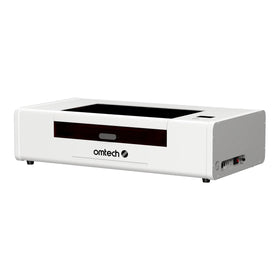
The OMTech Polar Lite Desktop CO2 Laser is best for student-run merchandise stores, trophy and award production, and schools looking for a compact CO₂ laser setup.
-
Key specifications: 55W CO₂ laser, 20" × 12" honeycomb workbed, 5MP camera, and LightBurn compatibility.
-
Standout features: The Polar Lite combines several useful features in one desktop machine, including built-in water cooling, an exhaust fan, air assist, and two rotary axes for working with cylindrical items such as tumblers. Its work area and material compatibility make it suitable for many small school projects involving wood and acrylic.
OMTech Polar 2 Desktop CO₂ Laser Engraver and Cutter
For robotics, engineering clubs, and shared makerspaces that need a compact machine with higher engraving speeds, the OMTech Polar 2 OMTech Polar 2 Desktop CO2 Laser Engraver is an ideal choice.
-
Key specifications: Available with a 70W glass tube or 50W RF tube, a 28" × 14" work area, engraving speeds of up to 2,000 mm/s, and a 16MP camera.
-
Standout features: The Polar 2 RF combines an RF laser tube with high engraving speeds and a relatively large work area in a desktop format. According to OMTech's cited performance testing, it can engrave a 350mm × 350mm complex design on wood in approximately 38 minutes and 32 seconds, up to 3.8 times faster than the comparison machines in that test.
For school clubs working on larger designs or repeated engraving jobs, faster processing can help students make better use of limited after-school sessions.
OMTech Pronto 35 60W CO₂ Laser Cutter and Engraver
The OMTech Pronto 35 CO2 Laser Cutter is an ideal option for STEM clubs, robotics teams, and schools that need a larger work area for engineering and prototyping projects.
-
Key specifications: 20" × 28" (500 × 700mm) work area with front and rear pass-through doors for longer materials.
-
Standout features: The Pronto 35 offers a larger working area than compact desktop machines, making it useful for cutting multiple components, producing architectural models, and working on larger school projects. Autofocus and LightBurn compatibility also support a more efficient workflow.
Key Buying Considerations When Choosing a School Laser Cutter
Before purchasing a laser cutter for a school, consider more than its wattage and work area. The machine should also suit the school's facilities, supervision arrangements, and intended student projects.
-
Enclosure and safety features: Look for a fully enclosed machine with appropriate laser-safety classification, interlock switches, and other protective features. Verify the machine's actual certification and safety documentation rather than assuming every enclosed laser cutter has the same classification.
-
Ventilation and filtration: Laser processing can produce smoke and potentially hazardous fumes. Ideally, the machine should be connected to a suitable exhaust system that vents outside. If this is not possible, investigate an appropriately rated filtration system and confirm that it is suitable for the materials being processed.
-
Material compatibility: Make sure the machine can process the materials required for your clubs. Schools should maintain an approved material list and never process PVC, vinyl, or unidentified plastics.
-
Work area and production needs: A compact desktop machine may be sufficient for keychains, small awards, and jewelry. Larger workbeds are more useful for architectural models, robotics components, and projects involving multiple parts. Education discounts: Schools should also consider institutional pricing when comparing machines. The OMTech Education Program offers discounts for verified educational institutions, with savings ranging from 5% to 20%.
Final Thoughts
A school laser cutter can support much more than classroom demonstrations and basic prototyping. It can become a shared resource for robotics teams, art clubs, theater productions, student businesses, hobby groups, and campus service programs.
The biggest advantage is that students get to take an idea from a digital design to a finished physical product. Along the way, they develop practical skills in design, engineering, problem-solving, teamwork, and even entrepreneurship.
The key is to match the machine to the school's needs, start with manageable projects, and establish proper safety procedures. With the right setup, a laser cutter can become one of the most useful tools in a school's makerspace.